4 AI Writing Tools for WordPress Blogs in 2026
Compare four AI writing tools for WordPress blogs. See plugin and publishing options, pricing, free access, and how much control each workflow gives you.
Written by
Today's Living Channel
Dates
- Published
- 10 Sept 2026
- Updated
- 10 Sept 2026
We may be compensated through affiliate links, sponsored content or partnerships. Compensation does not guarantee a positive review. Learn more
Quick verdict
Compare four AI writing tools for WordPress blogs. See plugin and publishing options, pricing, free access, and how much control each workflow gives you.
- Section
- AI & Automation
- Format
- listicle
- Read time
- 11 min
Where does the writing actually happen? That question separates AI writing tools for WordPress blogs more cleanly than any feature list. Some tools live inside your WordPress editor as a native plugin, so research, drafting, and optimization all happen without opening a second tab. Others work in an external workspace and push finished drafts to WordPress via API or webhook, which suits teams who prefer a dedicated writing environment. If you're still mapping out your overall approach, the guide to AI tools for writing and automating blog content covers the broader landscape. The four tools below span the full spectrum, from a verified native plugin to an automated external pipeline, so you can match the workflow to how you already work.
For the overall comparison, see our four AI tools for writing and automating blog content.
Before You Connect Any Tool: A Quick Pre-Connection Checklist
Connecting an AI writing tool to a live WordPress site takes a few minutes of setup, but skipping preparation creates friction later. Run through these steps before installing a plugin or authorizing an external workspace.
- Back up your site. Any new plugin or API connection is worth a fresh backup first.
- Check WordPress version compatibility. Native plugins list minimum WP versions; confirm yours qualifies.
- Clarify who publishes. Decide whether the AI tool saves drafts for human review or has permission to publish directly.
- Note your existing SEO plugin. Some AI tools integrate with Yoast or Rank Math; others are independent.
- Confirm the CMS connection method. Plugin, REST API, OAuth, or webhook — know which one applies before you start a trial.
- Read the credit or word allowance terms. Understand what actions consume your monthly allowance so you don't run out mid-project.
Comparing the Four Tools at a Glance
| Tool | Where you write | WordPress delivery and review | Starting access |
|---|---|---|---|
| GetGenie | WordPress editor; SaaS workspace also available | Writing and optimization in the editor; use your WordPress publishing controls | 2,500 words/month free; Starter $9.99/month |
| Koala AI | External writing workspace | WordPress connection; draft review or direct publishing according to configuration | 5,000 free words + 25 credits, no card; Essentials $9/month |
| Sight AI | External writing and planning workspace | Sight AI Publisher plugin; choose save as draft or publish immediately | Pro $99/month; 7-day card-required trial |
| BabyLoveGrowth.ai | External topic-to-publishing platform | WordPress is listed among supported platforms; verify review controls during setup | 3-day trial; check current price and billing terms |
1. GetGenie
Best for: WordPress writers who want AI research, generation, and SEO optimization without leaving the editor.
Explore GetGenie is a native WordPress plugin that brings article generation, keyword research, and content optimization directly into the block editor.

Where This Tool Shines
GetGenie's practical advantage is that research, generation, and optimization controls sit inside WordPress. Once the plugin and account are configured, you can work on the draft in the same editor you use for final changes and publication.
The One-Click Blog feature structures the generation process into clear human decision points: you supply a keyword, choose a title and intro from generated options, confirm an outline, and then the tool builds the full post. That staged approach means you stay in control of direction before the long-form generation runs.
Key Features
Native WordPress block editor integration: Install as a plugin and access AI generation without switching to an external workspace.
One-Click Blog workflow: Moves from keyword input through title, intro, and outline selection before generating a complete draft.
Built-in keyword research and competitor analysis: Research and content planning happen inside the same tool, without a separate SEO platform.
Content optimization scoring: Evaluates your draft against SEO criteria and surfaces improvement suggestions within the editor.
SaaS workspace option: A browser workspace is also available for writers who prefer working outside WordPress. Confirm the features included in the workspace and plan you choose.
Best For
Bloggers and content editors who spend most of their working day inside WordPress and want AI assistance that fits that existing habit. Also useful for small teams where one person handles research, writing, and publishing without a separate content operations setup.
Pricing
Free plan: 2,500 AI writing words per month with limited SEO features. This is an ongoing free tier, not a timed trial. Starter: US$9.99/month on monthly billing. A promotional annual-billing equivalent of approximately US$6/month is displayed on the pricing page; that figure requires annual commitment and is promotional pricing, so the safest comparison figure is US$9.99/month.
2. Koala AI
Best for: Content teams who want external SEO article generation with direct, low-friction WordPress delivery.
Explore Koala AI is an external SaaS writing workspace (KoalaWriter) that generates SEO-focused articles with real-time data and pushes drafts directly to WordPress, Shopify, Webflow, Ghost, or a custom webhook.

Where This Tool Shines
Koala's external workspace approach means the generation environment is purpose-built for article production rather than adapted from a general editor. Real-time data integration is a practical differentiator: articles can include current information rather than relying solely on the model's training data, which matters for topics that move quickly.
Koala supports WordPress, Shopify, Webflow, Ghost, and webhooks. That makes one external writing environment useful across several publishing setups. Bulk writing is included on Essentials, while larger plans increase allowances and add other capabilities.
Key Features
Direct WordPress delivery: Koala offers a WordPress publishing connection, including its publisher plugin. Creation happens in Koala; draft review or direct publication depends on your publishing configuration.
Real-time data integration: Articles can draw on current information, reducing the stale-data problem common with static model outputs.
Multi-CMS support: Connects to WordPress, Shopify, Webflow, Ghost, and custom webhooks from a single workspace.
Bulk writing: Included on Essentials and higher plans, so producing a batch does not by itself require Professional or Boost.
Content Calendar Autopilot: Available on Boost plan and higher plans that inherit its features; allows scheduled article production. Not included in Essentials.
Best For
Content managers and agencies who prefer a dedicated writing environment and need reliable CMS delivery without manual copy-paste. The Essentials plan suits individual bloggers testing the workflow; Professional and Boost plans serve teams with higher volume or scheduling requirements.
Pricing
New accounts receive 5,000 free words and 25 platform credits with no card required. This is a usage allowance, not a timed trial. Essentials: US$9/month (15,000 writing words + 250 platform credits). Professional: US$49/month. Boost: US$99/month. Note that choosing higher-capability AI models consumes the word allowance faster than standard models.
3. Sight AI
Best for: Content teams who want scheduled article production, CMS delivery, and visibility into how their content appears in AI-powered search results.
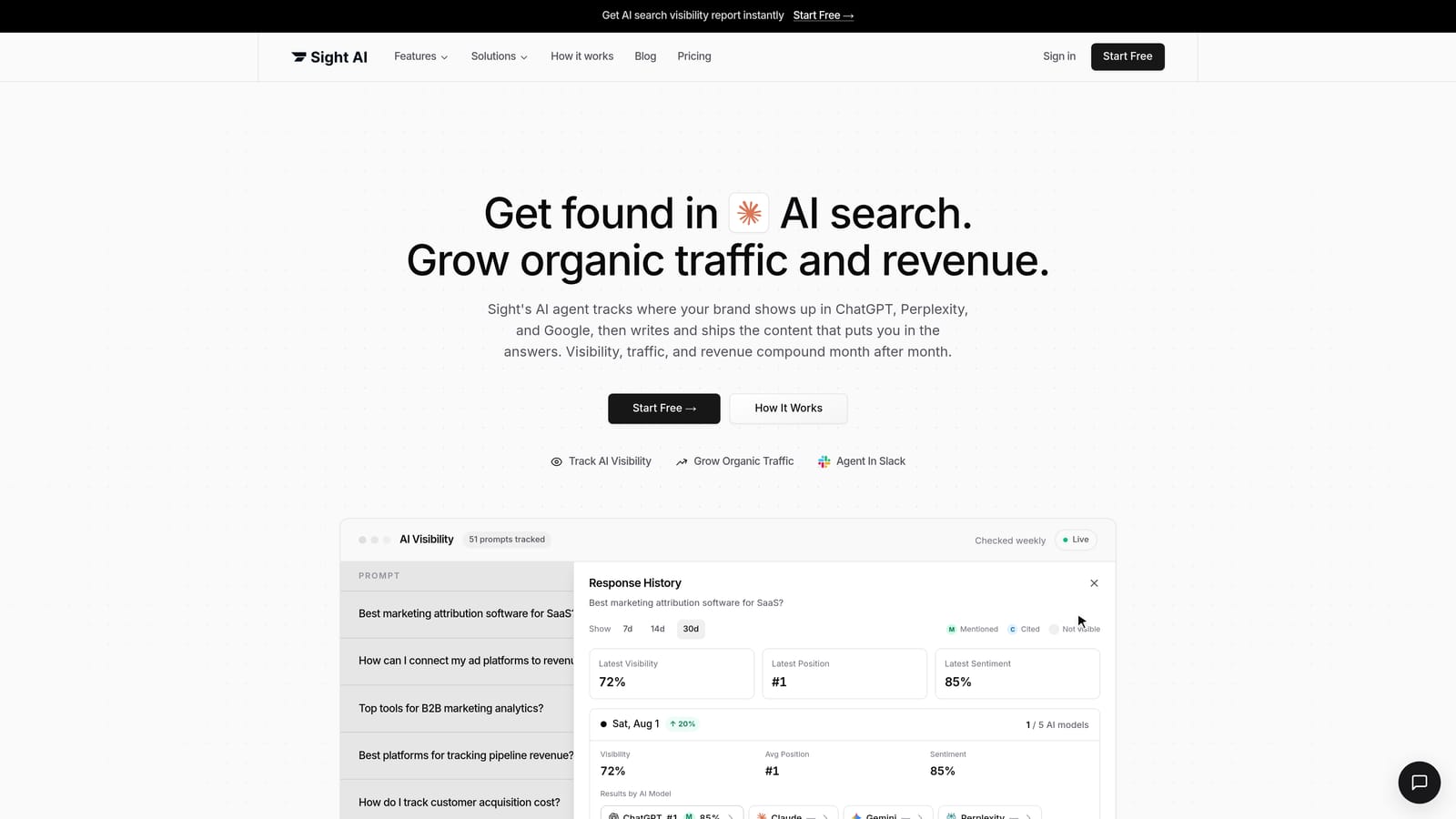
Explore Sight AI is an external content production platform that generates articles, supports scheduled workflows, delivers drafts to connected CMS platforms, and includes AI visibility tracking.
Where This Tool Shines
Sight includes AI visibility monitoring alongside its content workflow. For a WordPress publisher, that offers a way to investigate brand presence in tracked AI answers. Keep the monitoring results separate from the checks that confirm an article was delivered and displayed correctly on your site.
Autopilot supports scheduled generation and delivery. For WordPress, the Sight AI Publisher setup guide documents a plugin connection with a choice between immediate publication and saving a draft. New connections default to immediate publication, so select draft status first if you want a review step.
Key Features
Scheduled content workflow (Autopilot): Articles can be produced and delivered to WordPress on a recurring schedule without manual triggering each time.
AI visibility tracking: Monitors how your site's content appears in AI-generated search results, a distinct layer beyond traditional SEO metrics.
CMS delivery: WordPress delivery uses the Sight AI Publisher plugin. Other supported connections include Webflow and Shopify; the Framer connection is manual-only.
Shared credit system: Pro includes 5,000 AI credits per month. Article generation and AI monitoring draw from a shared budget; this does not translate into a fixed article allowance.
Best For
WordPress publishers who want a content operations layer rather than just a writing assistant, and who want to track content performance in AI search environments. Also suits teams moving toward automated publishing cadences who still want human review before posts go live.
Pricing
Pro: US$99/month, covering 5,000 AI credits, one site, and one seat. Seven-day trial includes 1,500 credits; a card is required to start. Cancel before the trial period ends and you will not be charged.
4. BabyLoveGrowth.ai
Best for: Businesses that want an automated end-to-end content pipeline covering topic planning, article production, and publishing automation, and are comfortable verifying CMS connection details directly with the vendor.
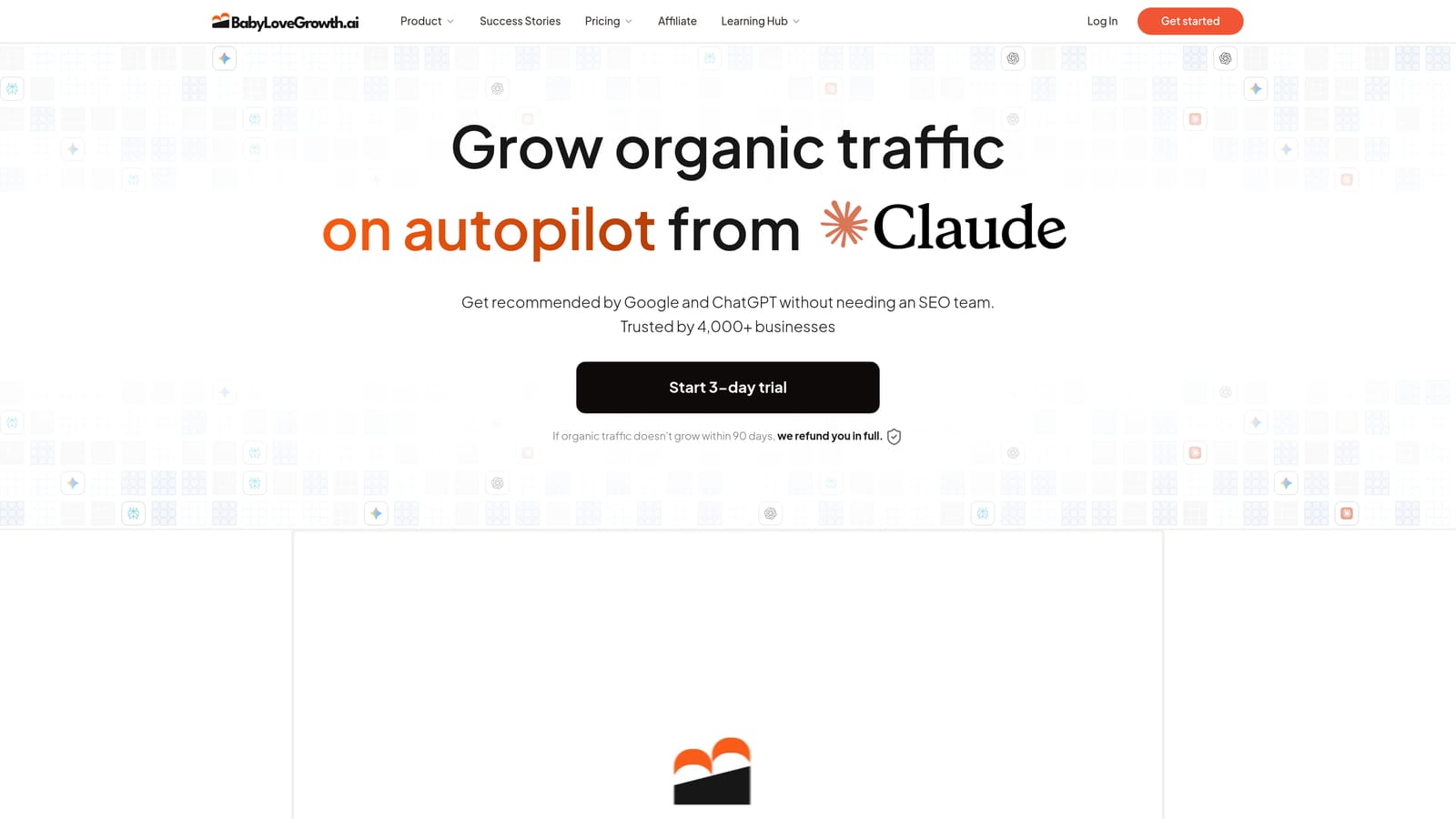
Explore BabyLoveGrowth.ai is a SEO content automation platform that covers business analysis, keyword discovery, article production, and publishing automation as a connected workflow.
Where This Tool Shines
BabyLoveGrowth.ai connects business analysis, keyword discovery, article production, and publishing. Its appeal here is the connected planning-to-publication workflow. That still requires supplying accurate business context and configuring delivery to your site.
Business analysis informs the topics proposed for your site. The official site lists WordPress as a supported publishing platform. During setup, confirm how the connection handles drafts, categories, images, and publication approval; support for WordPress does not by itself mean writing takes place inside its editor.
Key Features
Connected workflow: Covers topic planning, keyword discovery, article production, and publishing in one platform.
Business analysis component: Described as aligning content strategy with site goals before production begins.
SEO article production with publishing automation: Publishing automation is described on the official site; confirm defaults and review controls before connecting.
Three-day trial: Advertised on the official site; card requirements and billing terms could not be verified from available sources as of September 2026.
Best For
Businesses that want planning and publishing in one external platform can evaluate this approach. Writers who want research and drafting controls directly inside WordPress should compare that experience with GetGenie before choosing.
Pricing
Monthly pricing, card requirements, and automatic billing terms could not be verified from official sources as of September 2026. Check current plans at Explore Babylovegrowth before committing. A three-day trial is advertised on the official site.
Matching the Right Tool to How You Work
For research and drafting inside the WordPress editor, start with Explore GetGenie. For an external writing environment with a low paid entry price, evaluate Explore Koala AI using its separate no-card free allowance. For scheduled production and AI visibility monitoring, consider Explore Sight AI. For an automated workflow that also proposes topics from business context, explore Explore BabyLoveGrowth.ai and check its WordPress review settings.
Before connecting a tool, decide whether its first delivery should be a draft or a published page. Check one article for formatting, categories, images, and links before increasing the cadence.
When you are ready to connect a tool, use our draft-to-publication workflow to check delivery and our AI content quality checklist to review the resulting page.
Product details checked September 9, 2026: Sight pricing, Koala pricing, GetGenie pricing, BabyLoveGrowth product details. Confirm current plans and checkout terms before subscribing.
Explore your options
Find the right fit for your workflow
Visit the official product sites to review current features, plans, and signup options.
Written and edited by the Today's Living Channel desk. About us · Affiliate disclosure